What Should an Invoice Include? The Complete Checklist
Apr 12, 2026 · 10 min read
An invoice should make a transaction easy to identify, approve, pay, and retrieve later. At minimum, that usually means clearly identifying the seller and customer, assigning a unique invoice number, showing relevant dates, describing the goods or services, displaying accurate totals, and explaining how payment should be made.
That practical checklist is only the starting point. Mandatory fields vary by country, business status, transaction type, tax system, and customer. A freelancer billing a local consumer may face different requirements from a registered company invoicing an overseas business. This guide separates broadly useful invoice information from details that require local verification.
Quick answer: A professional invoice normally includes seller and customer details, a unique invoice number, issue and due dates, itemized descriptions, quantities and rates, taxes or discounts where applicable, the total amount and currency, payment instructions, and relevant order or contract references. Verify official rules for your jurisdiction before issuing it.
Table of contents
- The essential invoice checklist
- How the parts of an invoice work together
- What to write in each field
- Which requirements depend on jurisdiction
- Optional details that improve approval
- Common invoice mistakes
- When to use FreeGenDoc
- Frequently asked questions
The essential invoice checklist
Most professional invoices need the following information, even when the exact legal labels differ:
- Seller identity: the business, professional, or trading name used for the transaction.
- Seller contact details: enough information for the customer to identify or contact the seller.
- Customer identity: the correct individual or organization responsible for payment.
- Unique invoice number: a reference that distinguishes the document from every other invoice.
- Issue date: the date the invoice is issued.
- Supply or service date: when required or when it differs meaningfully from the issue date.
- Due date or payment terms: when the customer is expected to pay.
- Itemized description: what was sold, delivered, or performed.
- Quantity and rate: the values used to calculate each line total.
- Subtotal: the total before taxes, discounts, or other adjustments.
- Taxes and discounts: clearly separated where they apply.
- Final total and currency: the exact amount requested for payment.
- Payment instructions: the agreed method and any necessary reference.
- Commercial references: a quote, contract, project, or purchase-order number when relevant.
This checklist improves clarity, but it is not a universal legal form. Official authorities may require tax identifiers, registration numbers, prescribed wording, sequential numbering, or electronic-invoicing fields. Verify those obligations separately.
How the parts of an invoice work together
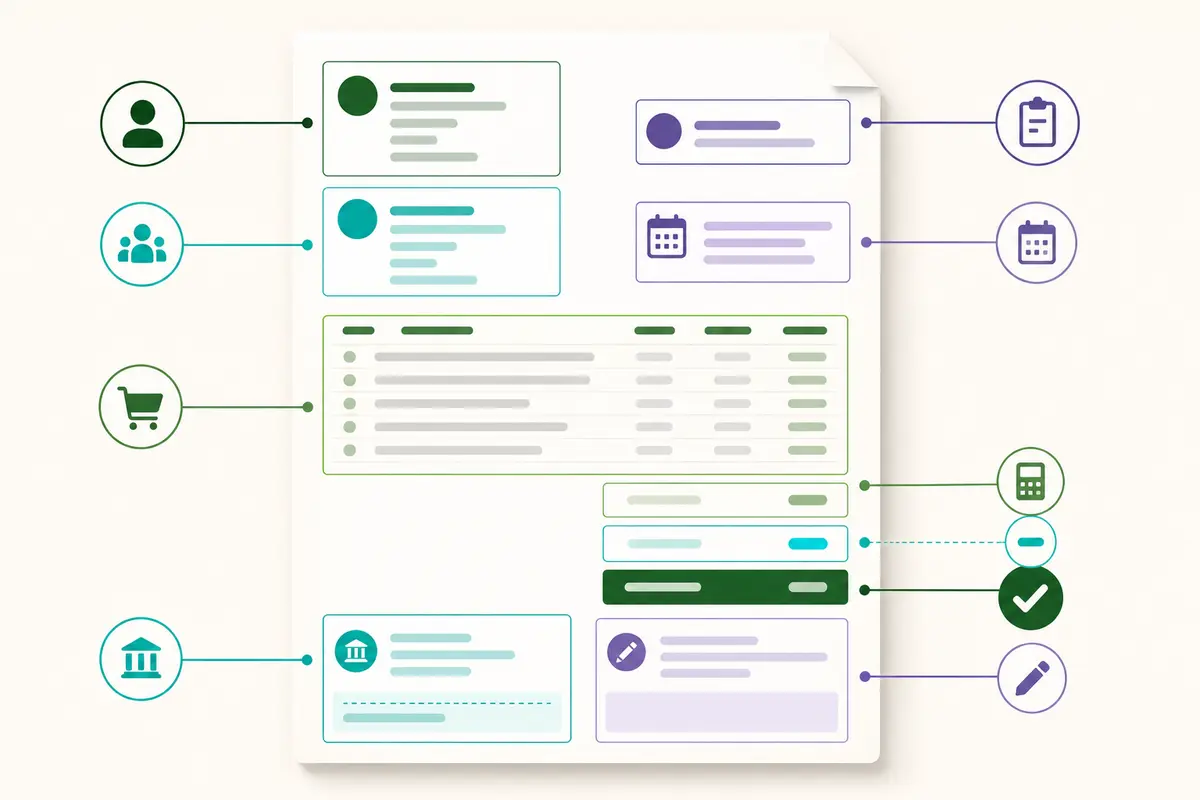
An invoice is easier to understand when related information appears together. The header establishes who is billing whom. The reference area establishes when and why the invoice exists. The line-item table explains the charge. The totals area shows the calculation. The payment area tells the customer what to do next.
Visual hierarchy matters because an approver may review dozens of documents. The invoice number, due date, and amount due should be easy to find without making the page look crowded. Labels should remain consistent from one invoice to the next.
A logo can support recognition, but it does not replace the seller's written identity. Decorative elements should never compete with essential information. Readability, accurate content, and a stable record are more important than elaborate styling.
What to write in each field
Seller and customer details
Use the name that correctly represents the seller for the transaction. Depending on your situation, that may be a personal professional name, registered business name, or established trading name. Add the address, email, telephone number, registration details, or tax identifiers required for your circumstances.
For the customer, use the billing entity rather than assuming the project contact is the payer. A company may require its legal name, billing address, department, tax identifier, or accounts-payable contact. Check onboarding documents and purchase orders before issuing the invoice.
Invoice number
Each issued invoice needs a unique reference in your records. A simple sequence such as 2026-0042 may work, but the numbering system should match applicable requirements and your record-keeping method.
Do not reuse the same number for an unrelated transaction. If a sent invoice must be corrected or cancelled, preserve an audit trail and follow the correction process appropriate to your jurisdiction rather than silently replacing history.
Issue, supply, and due dates
The issue date indicates when the document was created or formally issued. A supply or service date can show when goods were delivered or work was performed. The due date communicates the payment deadline.
Use an unambiguous date format, especially for international customers. Writing 17 August 2026 avoids the day-and-month confusion that can occur with numeric formats. Payment terms should reflect the accepted quote, contract, purchase order, or established agreement.
Line items
Every line should help the customer recognize the charge. Include a concise description, quantity, unit or period, rate, and calculated line total where appropriate.
Compare these descriptions:
- Weak: “Design work”
- Clearer: “Homepage responsive design — approved milestone 2”
- Weak: “Support”
- Clearer: “Website maintenance and support — August 2026”
The invoice does not need to reproduce the entire project brief. If detailed time records or delivery evidence are required, reference or attach them separately.
Totals, adjustments, and currency
Show how the final amount is reached. A reader should be able to follow the subtotal, discount, tax, shipping, deposit, credit, or other adjustment without reverse-engineering the calculation.
State the currency clearly. A dollar symbol alone may be ambiguous across countries. If a deposit has already been paid, show how it affects the balance and retain documentation supporting the original payment.
Payment instructions
Give the customer the information needed to use the agreed payment method. Include an invoice reference when it helps reconcile the payment. Avoid placing unnecessary sensitive information in the document.
Payment-detail changes deserve additional verification because invoice fraud can involve altered bank instructions. When details change unexpectedly, confirm them through a trusted channel rather than relying solely on a new message.
Which requirements depend on jurisdiction
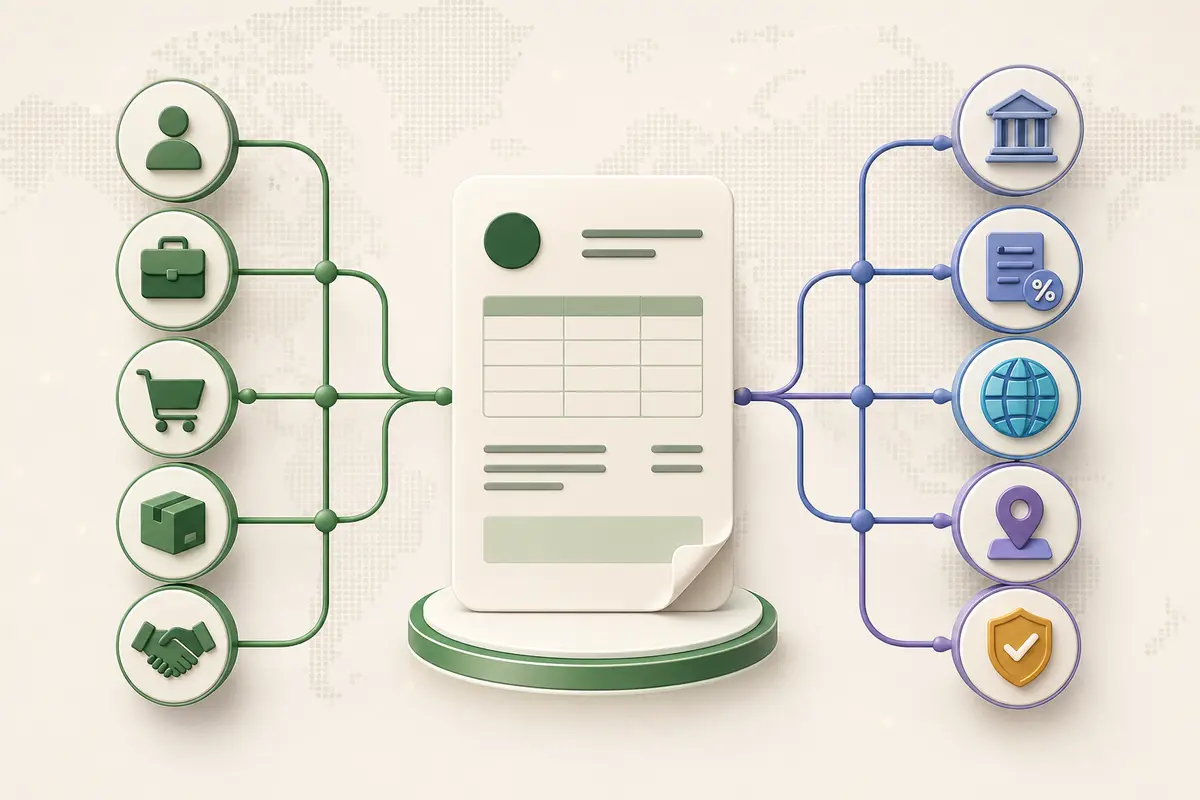
No single online checklist can confirm every invoice obligation. Requirements may change according to:
- The seller's country and legal status
- The customer's location and business status
- Whether the transaction is domestic or cross-border
- The type of goods or services supplied
- Tax registration and exemption status
- Business-to-business or business-to-consumer treatment
- Invoice value or currency
- Electronic-invoicing mandates
- Record-retention rules
Tax identifiers and rates are obvious examples. Some systems require the seller's and customer's registration numbers; others require specific exemption or reverse-charge wording. Certain authorities prescribe sequential numbering, invoice language, electronic formats, or delivery through approved networks.
Do not copy a tax label or registration number from an unrelated template. Consult the responsible government or tax authority, or a qualified professional familiar with your transaction. If you trade across borders, verify both domestic rules and any requirements created by the customer's jurisdiction or the nature of the supply.
The same caution applies to late fees, interest, and collection language. A phrase that is common in one market may be restricted, ineffective, or require prior agreement elsewhere.
Optional details that improve approval
Some fields are not universally mandatory but can reduce questions and speed up internal processing.
Purchase-order or contract reference
Many organizations cannot approve an invoice without the purchase-order number issued before the work began. Add the reference exactly as supplied. If no purchase order exists, a quote, contract, project, or customer reference can serve a similar organizational purpose.
Service period or delivery date
Recurring work becomes clearer when the invoice identifies the billing period. Products may benefit from a delivery date, order number, or shipment reference. Milestone work should identify the approved milestone.
Common invoice mistakes
Using the wrong customer name
The person who ordered the work may not be the entity that must be invoiced. Confirm the billing identity before export.
Omitting the currency
An unlabeled total creates unnecessary uncertainty, particularly in international transactions. Use a clear currency code or name where needed.
Writing vague line items
Descriptions such as “services” force the approver to investigate. Connect the line to a deliverable, period, quantity, or approved scope.
Applying unverified tax treatment
A polished template cannot determine your tax obligations. Check the rate, basis, identifiers, and required wording against reliable guidance.
Introducing surprise terms
The invoice should document agreed commercial terms, not create new ones. New deadlines, charges, or payment methods can cause disputes and rejection.
Failing to inspect the exported file
Open the PDF before sending it. Check line wrapping, page breaks, totals, filenames, and whether the document remains readable on a smaller screen.
For a deeper review, see 15 Invoice Mistakes That Can Delay Your Payment.
When to use FreeGenDoc
Use the FreeGenDoc Invoice Generator when you already know what belongs on the invoice and need a structured, professional PDF without creating an account. Enter the parties, dates, line items, totals, and payment information, then download and inspect the result.
If the price or scope still needs approval, start with the Quote Generator. After payment, use the Receipt Generator when the customer needs a separate record acknowledging payment.
FreeGenDoc is most suitable for straightforward documents. Dedicated accounting software may be a better choice when you require recurring invoices, automated reconciliation, inventory, integrated tax reporting, approval workflows, or a synchronized ledger.
You can also follow How to Create a Professional Invoice in Minutes for a step-by-step creation workflow or compare selection criteria in Best Free Invoice Generator for Small Businesses.
Frequently asked questions
What is the minimum information needed on an invoice?
Broadly, an invoice should identify the seller and customer, provide a unique reference and relevant dates, itemize the transaction, show the total and currency, and explain payment. Legal minimums vary, so verify official requirements for the seller, customer, and transaction.
Does every invoice need a unique number?
A unique invoice reference supports tracking, reconciliation, and record keeping, and it is mandatory in many systems. The acceptable sequence or format may be regulated. Use a consistent method and check local rules before adopting or changing it.
Should an invoice include a due date?
A due date makes the expected payment deadline explicit and should match the agreed terms. Whether it is legally required varies. An actual calendar date is often easier to interpret than using only wording such as “Net 30.”
Do I need to put tax on every invoice?
No universal answer applies. Tax treatment depends on registration status, customer and seller locations, transaction type, exemptions, and local law. Never add, omit, or calculate tax solely because a generic template suggests it.
Is a logo required on an invoice?
A logo is generally a branding element rather than a substitute for required written identification. A clean invoice without a logo can still look professional. Prioritize accurate seller details, legibility, and a clear payment total.
Can an invoice be sent as a PDF?
PDF is commonly used because it preserves layout and is easy to store. Confirm the recipient's accepted process and any applicable electronic-invoicing rules, as some transactions require a structured format or approved delivery system rather than an ordinary PDF.
Final checklist
Before sending, confirm:
- Seller and customer identities are correct
- Invoice number is unique
- Issue, supply, and due dates are accurate
- Line items match the accepted scope
- Quantities, rates, taxes, and discounts are verified
- Final total and currency are obvious
- Payment instructions are correct
- Required legal and tax fields were checked locally
- Purchase-order or project reference is present when needed
- The downloaded PDF opens and displays correctly
- A copy is retained in your records
Final takeaway
The best invoice is not the most decorative one. It is the document a customer can identify, approve, pay, and retrieve without confusion. Start with accurate identities, references, dates, line items, totals, and payment instructions. Then verify any jurisdiction-specific tax, registration, numbering, and electronic-invoicing requirements.
FreeGenDoc can organize the information and produce a clean PDF, but the user remains responsible for the accuracy and legal suitability of the document. Review the final export and keep a reliable copy.
Related articles
- How to Create a Professional Invoice in Minutes
- 15 Invoice Mistakes That Can Delay Your Payment
- Quote vs Invoice vs Receipt: What Is the Difference?
Sources to verify before publication
- Official government or tax authority guidance for the target jurisdiction
- Current electronic-invoicing and record-retention rules
- Customer-specific purchase-order and billing instructions
- Final production behavior and privacy wording of FreeGenDoc
This article provides general information and is not legal, tax, financial, or accounting advice.
Ready to try it yourself?
Open the tool